RedShift
Description: 调整屏幕色温,可作为夜灯。
| 适用系统 | 类型 | 标签 |
|---|---|---|
| Linux | Utility | Color Temperature |
用法
Adjust the color temperature of a screen according to its surroundings. Note: Redshift does not support Wayland. More information: https://manned.org/redshift.
- 根据配置文件
~/.config/redshift.conf调整屏幕色温bash如果不加redshift -P-P参数,每次使用 RedShift 的效果会叠加,导致显示的色调可能极端得冷或暖。-P参数可以清除上次使用 RedShift 的效果。 - Turn on Redshift with a specific temperature during day (e.g., 5700K) and at night (e.g., 3600K):bash
redshift -t 5700:3600 - Turn on Redshift with a manually specified custom location:bash
redshift -l latitude:longitude - Turn on Redshift with a specific screen brightness during the day (e.g, 70%) and at night (e.g., 40%): redshift -b 0.7:0.4
- Turn on Redshift with custom gamma levels (between 0 and 1):bash
redshift -g red:green:blue - Purge existing temperature changes and set a constant unchanging color temperature in one-shot mode:bash
redshift -PO temperature
配置
~/.config/redshift.conf 文件:
ini
[redshift]
temp-day=5500               # 白天色温
temp-night=3500             # 夜晚色温
location-provider=manual    # 手动配置位置

[manual]
lat=32                      # 纬度
lon=118                     # 经度
开机自启动
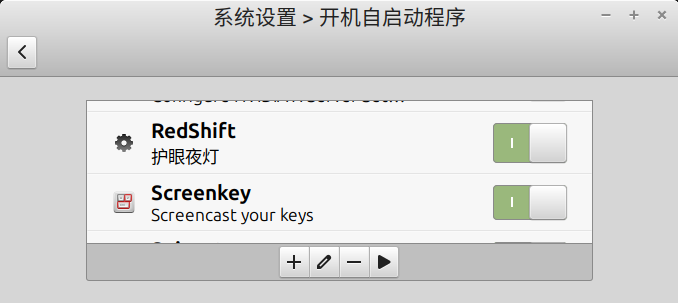
我尝试做成用户级服务,但总是不生效,于是在桌面环境(Cinnamon)的设置中将 RedShift 添加到开机自启动,本质上就是在 ~/.config/autostart/ 目录下添加了 redshift.desktop 文件,内容如下:
ini
[Desktop Entry]
Type=Application
Exec=/usr/bin/redshift -P
Hidden=false
Name[zh_CN]=RedShift
Name=RedShift
Comment[zh_CN]=护眼夜灯
Comment=护眼夜灯
X-MATE-Autostart-Delay=3